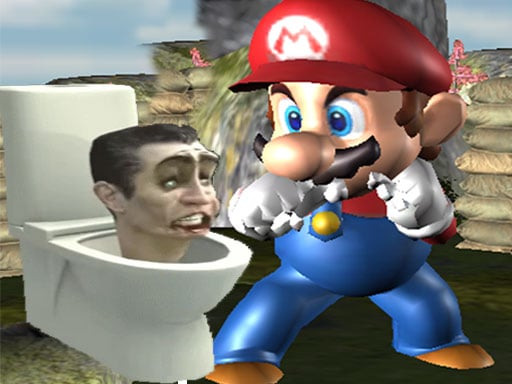
Super Spy Mario VS Skibidi Toilet
5,970
Super Spy Mario VS Skibidi Toilet combines thrilling action with stealth gameplay, challenging you to outsmart and eliminate Skibidi Toilet enemies as Super Spy Mario. Navigate through uniquely designed levels, each requiring different strategies to overcome. Stay hidden, strike from behind, and avoid detection at all costs. Experience the excitement of a stealth-packed 2.5D adventure in an engaging environment with sophisticated enemy AI.
Recommended Games
View All
4.4
Fire and Water Stickman
Navigate using WASD or arrow keys. Perform double jumps to reach higher platforms. On mobile, use touch controls for movement and jumping.
7,042

4.0
Blocky Universe
Interaction begins. Players interact with the game world by clicking on different elements on the screen. Each click may trigger new events, open hidden paths or unlock new skills. This simple click mechanism allows novice players to quickly get started and enjoy the fun of exploration.
7,563
4.6
Epic Hero Quest: Idle RPG
In this game, players control a mouse navigating through various mazes. The objective is to collect cheese scattered throughout each level while avoiding predators like cats and traps. As the player progresses, mazes become more complex with additional obstacles and moving hazards. Points are scored for each piece of cheese collected and bonuses can be unlocked by completing levels efficiently.
5,712
4.2
Line Pixel Adventure
Navigate using W A S D keys or arrow keys. Press Space to attack. For mobile users, swipe to move and tap to attack.
7,766

5.0
Careening Though Space
Tap or click to move the astronaut, collecting air tanks and coins while avoiding asteroids, flying saucers, and black holes.
4,223

4.1
Battle of the Match Man
Click or tap on the screen to interact and progress in the game. Use these inputs to trigger actions, select options, or navigate through different levels and menus. This direct interaction allows for an intuitive and engaging experience, making the gameplay accessible and easy to understand for all users.
6,115

4.1
Spooky Forest Run
Mouse click or tap to jump Double tap to perform a quick consecutive jump
3,330

4.5
The wizard Elion
Use WASD keys for movement and mouse for menu interactions on desktop. On mobile, touch the screen buttons directly and use on-screen arrow keys to move.
4,217

4.4
Mind Games for 2 3 4 Player
Players use different key sets to control their characters: Player 1 uses W, A, S, D for movement and E for actions; Player 2 uses arrow keys for movement and backspace for actions; Player 3 uses I, J, K, L for movement and O for actions; Player 4 uses T, F, G, H for movement and Y for actions. Alternatively, players can take turns using a mouse and left-click for both movement and actions.
6,274

4.7
Hill Climb Race
On Desktop - Press D to accelerate right and A to accelerate left On Mobile - Tap the right arrow to move right and the left arrow to move left
3,351

4.6
Dragonz Escape
for mobile use touch screen controls swipe to move tap to interact for pc use arrow keys to move and mouse for aiming and interacting
3,782
4.6
Cool Man Adventure
To control your character, use arrow keys on your keyboard or, for mobile devices, tap corresponding screen icons to move your character around.
7,472
4.3
Gunshot Odyssey
Navigate using arrow keys: Up for jumping over obstacles, Down to duck under them, Left to move back, Right to move forward. Press 'a' to interact with objects and 's' to pause or confirm selections.
4,110
4.8
Taxi Tycoon: Urban Transport Sim
use keyboard buttons to control vehicles and interact with other players in real-time, enhancing coordination and strategy in gameplay.
4,145

4.1
Worms Arena iO
Control your character by moving the MOUSE or using the LEFT-RIGHT ARROWS (A and D keys). Speed up with SPACE or LEFT-CLICK.
4,995

4.9
Brick Hit
for mobile use touch screen swipe to move and tap for actions for pc use mouse click to move and select options
4,847

4.8
skibidi toilet terror
WASD controls movement, allowing players to navigate through the game environment. Pressing Space enables the player to grab objects or interact with elements in the scene, facilitating puzzle-solving and exploration.
5,076

4.5
Santa Dash
Navigate Santa using arrow keys or touch buttons on mobile, moving him left, right, and jumping. Gather coins for higher scores while dodging obstacles to prolong Santa's run.
6,417

4.7
Mushroom Fight For The Kingdom
Movement: Left Button - Move your mushroom character to the left. Right Button - Move your mushroom character to the right. Jump: Up Button - Make your mushroom character jump; hold for higher leaps. Pause: Pause Button - Pause the game and access options.
6,811